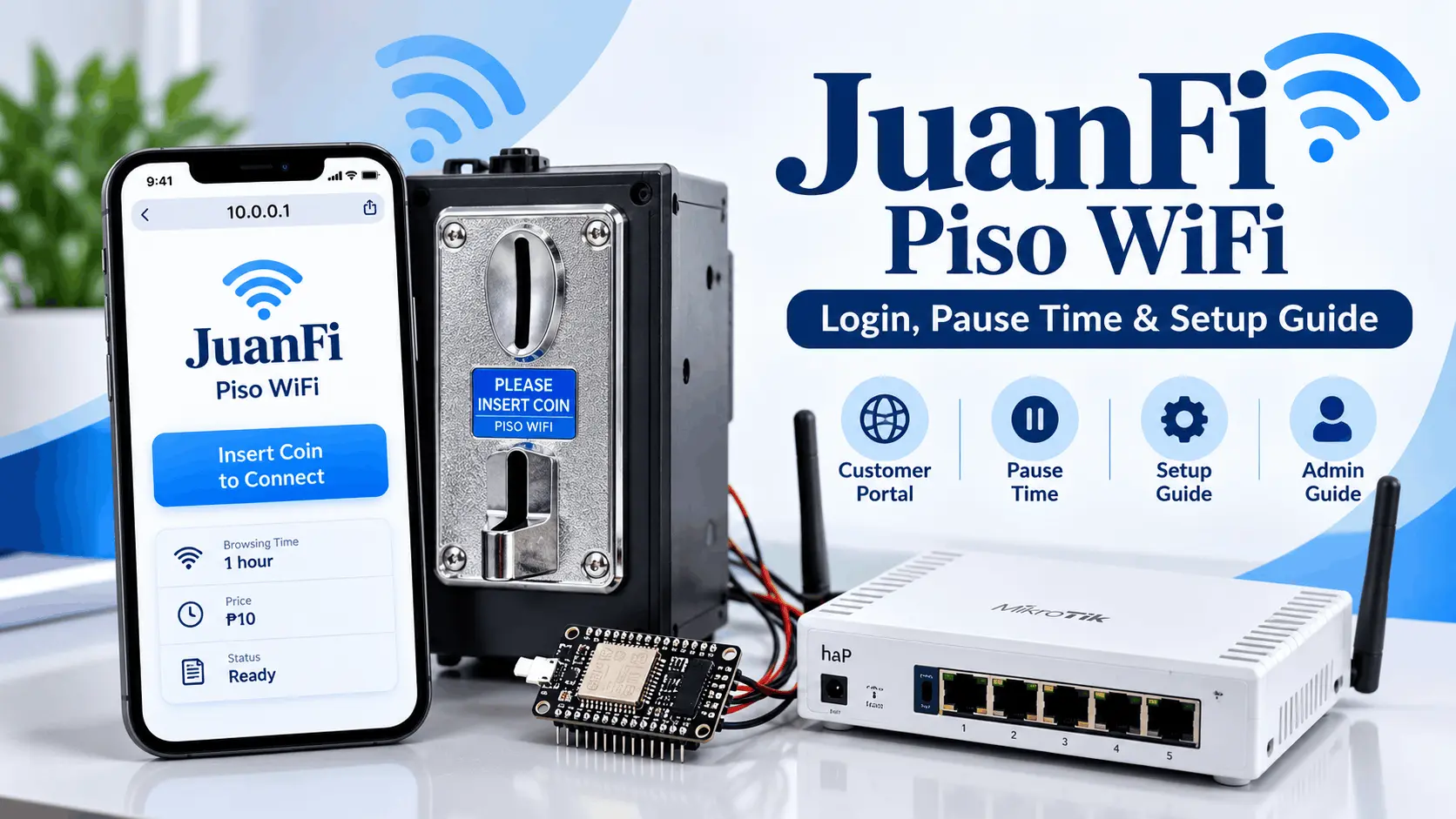
JuanFi Piso WiFi: Login, Pause Time, and Setup Guide
JuanFi is a free, open source system that connects a coin acceptor to a MikroTik hotspot router so operators can sell paid internet sessions. It is not an internet service, not a nationwide network, and not a universal login website. The customer portal, the coin controller, and the MikroTik router are three separate interfaces, and most guides online treat them as one. This page separates them clearly so customers can find what they need and operators know what they are actually administering.
If you are a customer trying to log in or pause your session, start with the portal and pause sections. If you are an operator setting up or managing a machine, go to the hardware and admin sections.
What Is JuanFi Piso WiFi?
JuanFi piso wifi is a hotspot payment integration system developed by Ivan Julius Alayan and published as free, open source software on GitHub. It bridges a coin acceptor to a MikroTik router. When a customer inserts a coin, JuanFi signals MikroTik to grant that customer internet access for the corresponding session duration. MikroTik handles all the portal logic, session management, and traffic policy. JuanFi handles the payment layer.
This architecture is what makes JuanFi different from AdoPiSoft and LPB. Those platforms run their session management on a Raspberry Pi or Orange Pi and use their own portal software. JuanFi delegates session control entirely to MikroTik. Operators who already own MikroTik hardware can add JuanFi without replacing their existing router. Operators who do not own MikroTik hardware must purchase one specifically for JuanFi to work.
The software is free. The hardware it requires is not.
JuanFi Login: How Customers Access the Portal
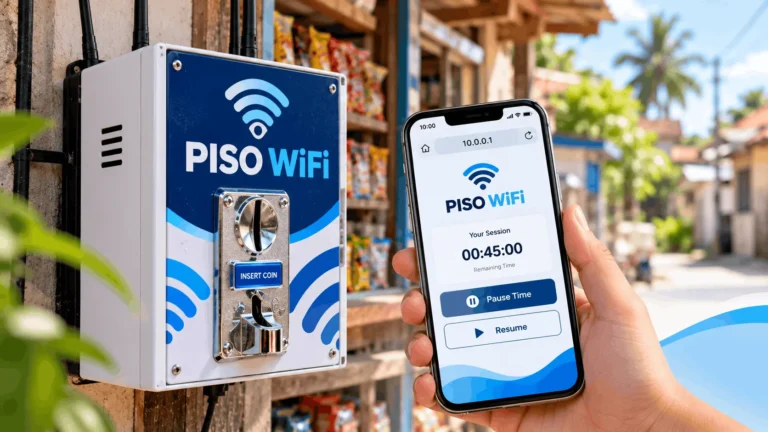
The JuanFi login portal on most machines is at 10.0.0.1. This is not a public website. It only loads when your device is connected to that machine’s WiFi network.
Connect to the hotspot network first, then turn off mobile data on your phone. Mobile data interfering with the captive portal redirect is the most common reason the page fails to open. Open a browser and type http://10.0.0.1 in the address bar directly. Do not search for it in Google.
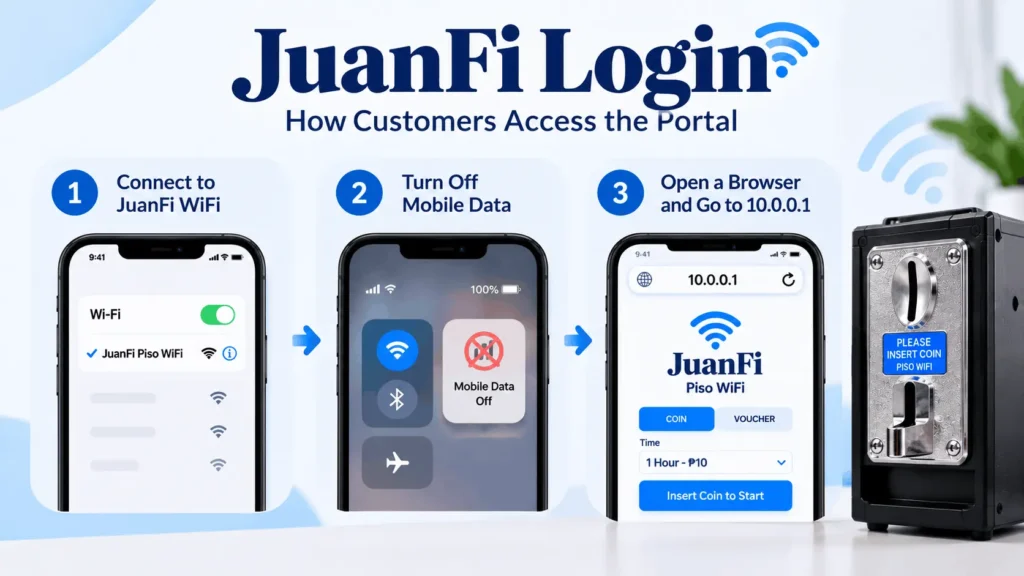
On Android phones the portal usually opens automatically after connecting. On iPhones it appears as a pop-up notification. On Windows laptops it rarely opens on its own and you need to type the address manually.
Once the portal loads, insert coins to begin your session. Some machines also accept voucher codes as an alternative to coins.
One important note: MikroTik allows operators to configure a custom portal address. Not every JuanFi machine uses 10.0.0.1. If the page does not load at that address, check the sticker on the machine or ask the operator for the actual portal address for that installation.
JuanFi Admin: Three Interfaces, Three Different Purposes
This is the section that most guides get completely wrong. JuanFi has three separate interfaces and they serve three different people.
Customer portal: http://10.0.0.1 (on most builds). This is where customers log in, insert coins, view remaining time, and pause sessions. Customers use this only.
JuanFi coin controller setup: http://172.217.28.1/login. This is the interface for the NodeMCU coin controller board during initial configuration. You reach it by connecting to the “JuanFi Setup” WiFi network the controller broadcasts when it is in setup mode, or via a wired connection using a static IP of 172.217.28.10. This address is not the ongoing admin panel for managing rates or users. It is a one-time configuration interface for the hardware.
Default controller credentials: username admin, password admin. The default MikroTik API user JuanFi creates during setup is pisonet with password abc123. Both should be changed after installation.
MikroTik administration: managed through MikroTik Winbox or the MikroTik web interface. This is where operators manage hotspot users, session rules, bandwidth policy, and firewall settings. This is separate from JuanFi’s own controller interface.
Operators manage three separate things after a JuanFi installation: the coin controller, the MikroTik router, and optionally the JuanFi Manager Android app. None of them is the same interface.
JuanFi Piso WiFi Pause Time
JuanFi supports pause time but with two important distinctions that most articles miss.
Remaining Time vs Session Validity
Remaining time is how many minutes the customer still has left from what they paid. Session validity is the deadline by which that time must be used. MikroTik distinguishes accumulated uptime limits from session timeout rules. Pausing stops the countdown of remaining time, but it does not stop the session validity clock. If a customer pauses and returns after the validity period has closed, their remaining time is gone even if they had minutes left.
The validity window depends on how the operator configured the promo rate for that session type. Operators can also set expiration times per rate tier. The customer cannot see or control this from the portal. If you consistently lose time when returning from a pause, the validity window on that machine may be shorter than you expect. Contact the operator.
Turn Pause On in the Admin Settings
If the pause button is not visible on the portal, the operator has not enabled it for your session type. This is an operator setting. Customers cannot unlock it from the portal.
Random MAC Address Breaks Pause and Resume
When a customer pauses and later reconnects, JuanFi identifies them by their device’s MAC address. Modern Android and iOS devices randomize MAC addresses by default when joining WiFi networks. If a phone generates a different MAC address on reconnection, JuanFi and MikroTik cannot link the returning device to the paused session. The remaining time may appear to have disappeared.
The fix is for the customer to disable MAC randomization for that specific WiFi network in their phone’s WiFi settings. On Android, tap the network name and look for the MAC address or Privacy option. Set it to use the device MAC instead of a randomized one. This must be done before starting a session, not after losing time.
Some JuanFi builds include automatic voucher resumption when a device reconnects. Whether this applies depends on the firmware version and how the operator configured that installation.
JuanFi Piso WiFi Hardware Requirements
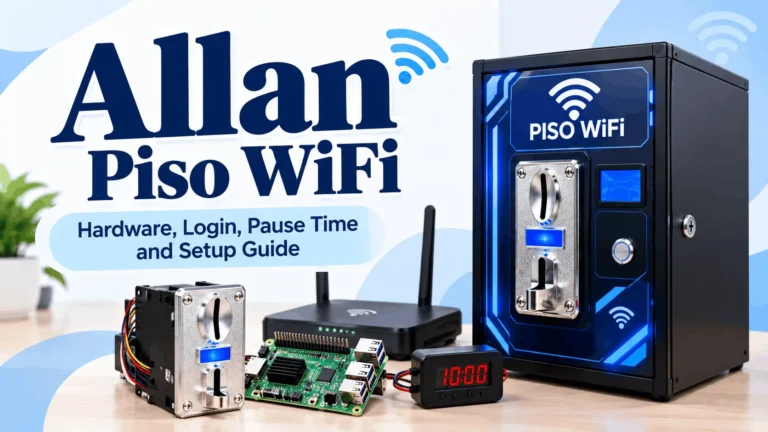
JuanFi requires specific hardware that is different from AdoPiSoft or LPB setups. The main components:
| Component | What Is Required |
| Coin controller | NodeMCU ESP8266 (wireless build) or NodeMCU ESP32 (LAN-based build) |
| Router | MikroTik (required, not interchangeable with other brands) |
| Coin acceptor | Universal coin acceptors compatible with pulse output |
| Access point | Separate wireless AP for customer WiFi coverage |
| Power supply | 12V for the NodeMCU controller, 12V for the MikroTik |
| LAN builds only | W5500 Ethernet module, LM2596 DC-to-DC buck converter to 5V |
The NodeMCU ESP8266 handles the wireless-based build. The ESP32 is used for LAN-connected builds, which require the W5500 module to provide wired Ethernet from the controller to the router. LAN builds are generally more stable because they avoid wireless interference between the controller and the router.
MikroTik is not optional. JuanFi is built specifically around MikroTik’s hotspot feature set. Attempting to use JuanFi with a non-MikroTik router is not a supported configuration.
The NodeMCU board itself is inexpensive, roughly ₱150 to ₱300. The MikroTik router is the largest single cost in a JuanFi build, ranging from ₱2,000 to ₱8,000 depending on the model. Operators who already own a MikroTik router can build a JuanFi setup at significantly lower cost than building an AdoPiSoft or LPB setup from scratch.
JuanFi Piso WiFi Setup
Setting up JuanFi has three stages that must be completed in order. The controller firmware, the coin controller configuration, and the MikroTik hotspot are separate steps. Completing only one or two of them is the most common reason a new installation does not work.
Before starting, back up your MikroTik router configuration and confirm that the hotspot is working with internet access before touching the payment integration.
Stage 1: Flash the controller firmware
Download the firmware only from the official GitHub repository (github.com/ivanalayan15/JuanFi). Match the firmware to your board and connection type. ESP8266 and ESP32 use different procedures and the files are not interchangeable.
Do not apply 12V directly to the ESP board. The ESP32-DevKitC accepts USB, 5V, or 3.3V input only.
Stage 2: Configure the coin controller
After flashing, connect to the JuanFi Setup WiFi network the controller broadcasts. Open http://172.217.28.1/login. For LAN builds, assign your computer the static IP 172.217.28.10 (subnet 255.255.255.0) and open the same address via Ethernet.
Default login: admin / admin. Change this before finishing setup.
Set your coin slot pins, rates, expiration values, and MikroTik connection details here.
Stage 3: Configure MikroTik integration
Create a dedicated MikroTik API user for JuanFi. Do not leave the default example credentials in place. Set the controller to a static IP so the address does not change after a reboot. Update vendoIpAddress in config.js to match. Upload the portal files to the MikroTik router and install the login and logout scripts for the hotspot profile.
Test each coin denomination before opening to customers. Confirm credited time, expiration, and sales records all record correctly.
JuanFi Piso WiFi Features for Operators
Once setup is complete, these are the operator-side features available through JuanFi and MikroTik.
Rate configuration and promo rates
Operators configure coin denominations and their corresponding session durations. Promo rates with separate expiration settings are supported, letting operators offer time-limited promotional pricing per session type.
Sales reporting
JuanFi uses MikroTik scheduler scripts to track daily and monthly income. Sales data resets on schedule and is available through the admin tools. This gives operators a basic revenue tracking system without a separate reporting dashboard.
Multi-vendo support
One MikroTik router can serve multiple JuanFi coin controller units. Operators running several vendo machines in one location can route them all through a single MikroTik router rather than buying separate routers for each machine.
Anti-coinslot abuse system
JuanFi includes a built-in system to detect and block coinslot manipulation attempts. This protects against known methods of triggering fake coin pulses to claim free time.
LCD display
The vendo unit supports an LCD screen that shows session information and voucher data directly on the machine without the customer needing to open a browser.
Telegram sales notifications
Operators can configure an optional MikroTik on-login script that sends a Telegram message to the operator’s account each time a sale is recorded. This gives real-time revenue visibility without opening the admin panel.
Scheduled restart and night light
The vendo’s API supports scheduling automatic restarts and controlling a night light attached to the unit. Useful for operators who want the machine to reboot at a fixed time daily or manage lighting automatically.
Voucher generation
Vouchers can be generated through the JuanFi Manager app or the admin interface. Voucher-only setups (no coin acceptor) are also supported for locations where cashless operation is preferred.
JuanFi Manager App
JuanFi Manager is an Android app published by Ivan Julius Alayan, the same developer as JuanFi. It is an operator management tool, not a customer app.
What it does: remote monitoring of the machine, voucher generation, voucher printing, and management of voucher-only MikroTik hotspot setups. Operators use it to generate and print voucher batches and check machine status without being physically present.
What it does not do: it does not give customers a way to pause sessions, recover lost time, or bypass operator settings on any JuanFi machine. Customers do not need this app.
Download only from the official Google Play Store listing by Ivan Julius Alayan. Do not download JuanFi Manager from APK mirror sites or third-party download pages.
JuanFi Piso WiFi Troubleshooting
Most JuanFi problems fall into one of three layers: the customer portal, the coin controller, or the MikroTik router. The table below helps identify which layer the problem is in.
| Symptom | What to Check |
| Portal at 10.0.0.1 will not load | Mobile data is probably on. Turn it off, disconnect, reconnect, then type http://10.0.0.1 manually. |
| Pause button is not visible | Operator has not enabled pause for your session type. Customers cannot change this. |
| Paused time disappeared on return | MAC address randomization changed your device identity on reconnection. Disable MAC randomization for this network in your WiFi settings. |
| Coin inserted but no time added | Check that the coin acceptor cable is connected and the machine is online. Some machines block coin insertion when the upstream internet is offline. Contact the operator. |
| Session active but no internet | Your data allowance may have been exhausted if on a capped plan, or the session may have expired. Check remaining time on the portal. |
| Time counting down while not using WiFi | Your session does not pause automatically unless the operator has enabled auto-pause on disconnect. If that feature is off, time runs even when you are not connected. |
For account-specific problems, record the hotspot name, the time you paid, and what the portal showed before the problem occurred. The operator can check the MikroTik activity log using that information.
Do not attempt to change your device’s MAC address after a session has already started to try to recover credits. MAC-based session binding means a changed MAC address will not reconnect to a paused session and may create an additional entry in the system.
Is JuanFi Piso WiFi Free?
The JuanFi software is free and open source. There is no license fee.Operator costs come entirely from hardware and ongoing expenses:
| Item | Estimated Cost (2026) |
| NodeMCU ESP8266 or ESP32 | ₱150 to ₱300 |
| MikroTik router | ₱2,000 to ₱8,000 |
| Coin acceptor | ₱300 to ₱600 |
| Access point | ₱500 to ₱2,000 |
| Enclosure and wiring | ₱1,000 to ₱4,000 |
| ISP subscription | Monthly, varies |
Total hardware cost for a basic JuanFi build runs approximately ₱4,000 to ₱15,000 depending on the MikroTik model and whether components are bought new or secondhand. Operators who already own a MikroTik router can build for significantly less.
Frequently Asked Questions
What is JuanFi piso wifi?
JuanFi is a free, open source system that connects a coin acceptor to a MikroTik hotspot router, allowing operators to sell paid internet sessions. It is not an internet provider. The software handles the payment layer; MikroTik handles session management and portal access.
What is the JuanFi login address?
The customer portal is at http://10.0.0.1 on most JuanFi machines. This only works when your device is connected to that machine’s WiFi. The address can vary by installation since MikroTik allows operators to configure a custom portal address.
Why is the pause button missing on JuanFi?
The operator has not enabled pause for your session type. Pause is an operator-configured setting. Customers cannot enable it from the portal.
Why did my JuanFi paused time disappear?
Modern phones randomize their MAC address when connecting to WiFi. JuanFi and MikroTik identify sessions by MAC address. If your phone used a different MAC on reconnection, the system cannot link you to your paused session. Disable MAC randomization for that specific WiFi network in your phone settings before starting a new session.
Does pausing a JuanFi session freeze the balance indefinitely?
No. Session validity is a separate control from remaining time. If the session’s validity deadline passes while paused, the remaining credits expire regardless of how much time was left. The validity window is set by the operator per rate type.
Does JuanFi support GCash payments?
Not natively. JuanFi does not include a built-in GCash payment integration. Operators wanting cashless payment on a JuanFi setup need a third-party solution. This differs from AdoPiSoft, which supports GCash through a community plugin.
What hardware does JuanFi require?
JuanFi requires a MikroTik router and a NodeMCU ESP8266 or ESP32 controller board. A MikroTik router is not interchangeable with other brands in a JuanFi setup. The software is built specifically around MikroTik’s hotspot feature set.
Is JuanFi Manager for customers or operators?
JuanFi Manager is an operator tool for remote monitoring, voucher generation, and machine management. Customers do not need it and it does not provide a way to pause sessions or recover lost time on any JuanFi machine.
What is the JuanFi admin address?
There is no single ongoing admin address in JuanFi the way there is in AdoPiSoft. During initial controller setup, the configuration interface is at http://172.217.28.1/login, accessed by connecting to the JuanFi Setup network. Ongoing machine management happens through MikroTik Winbox or the MikroTik web interface, not through JuanFi’s own panel.
How do I activate JuanFi piso wifi?
JuanFi does not require a software license activation since it is free and open source. After flashing the firmware to the NodeMCU controller and completing the MikroTik hotspot configuration, the vendo is ready to use. There is no registration key or activation code.
Conclusion
JuanFi is the right platform if you are already running MikroTik hardware or comfortable administering it. The software cost is zero, the controller board is inexpensive, and the MikroTik router gives operators a professional-grade network management layer. The trade-off is that setup and ongoing management require more MikroTik-specific knowledge than AdoPiSoft or LPB.
For customers, the most important things to understand are that pause time and session validity are two different clocks, and that MAC address randomization on modern phones is the most common reason paused time disappears. Both are fixable when you know what causes them.
For a complete guide to how piso wifi works at 10.0.0.1 and what pause time means across different platforms, see our 10.0.0.1 piso wifi guide. For a detailed comparison of the major platforms before you invest in hardware, read our LPB Piso WiFi breakdown next.