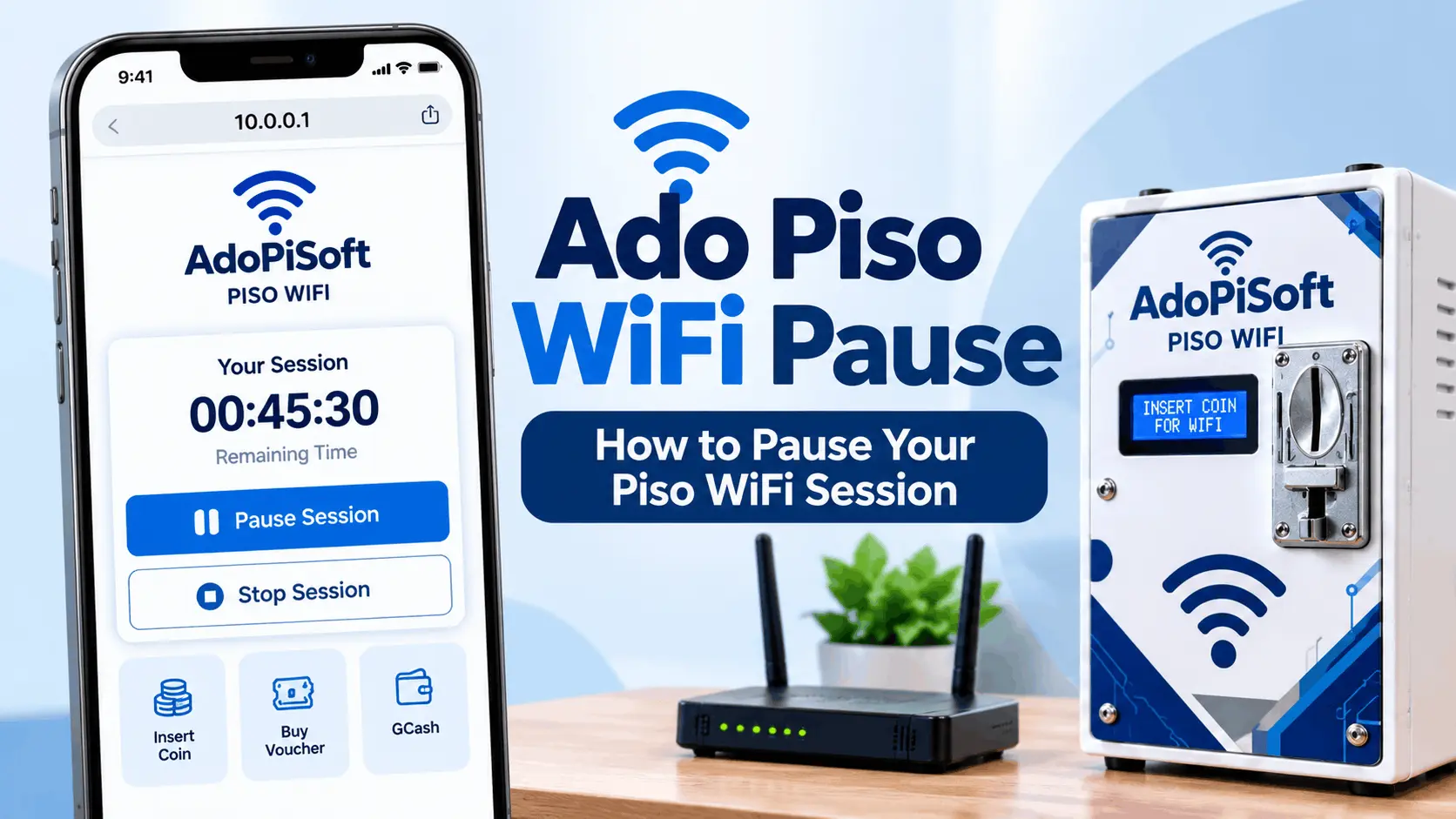
Ado Piso WiFi (AdoPiSoft): Login, Pause Time, & Admin Guide
Ado Piso WiFi is the former name of AdoPiSoft, a hotspot management software platform developed by Flarego Technologies Corp. in Danao City, Cebu, Philippines. It is not a nationwide WiFi service or an internet subscription. It is software that operators install on a controller board to run a coin-operated or voucher-based WiFi vending machine. The internet connection comes from a separate modem or router that the operator subscribes to independently.
This page serves two audiences. If you are a customer trying to log in, pause your session, or troubleshoot a problem, start with the portal and pause sections. If you are an operator setting up a machine or comparing platforms, go directly to the operator and pricing sections.
What Is Ado Piso WiFi?
Ado Piso WiFi and AdoPiSoft refer to the same product at different points in its history. The platform has since expanded into two separate editions.
Classic AdoPiSoft is the established version that most currently running machines use. Existing licenses for classic AdoPiSoft remain valid and the vendor continues to support it.
Community Edition is a redesigned, plugin-based platform built on Flarewifi and OpenWRT, currently in beta. Basic hotspot functionality is free, with additional capabilities available through plugins from a developer marketplace where plugins may be paid. Community Edition is not feature-for-feature identical to classic AdoPiSoft. The vendor describes it as an architectural redesign, not just an update.
If you are troubleshooting a machine, identify which edition it runs before following any guide. Menu paths, features, and default credentials differ between versions.
Flarego Technologies Corp. is a registered Philippine company: SEC Reg. No. 2021110032446-11 and BIR RSN 080RC20250000008844. The platform reports 306,625 active machines, 139 distributors, and 35,500 community members as of current site data.
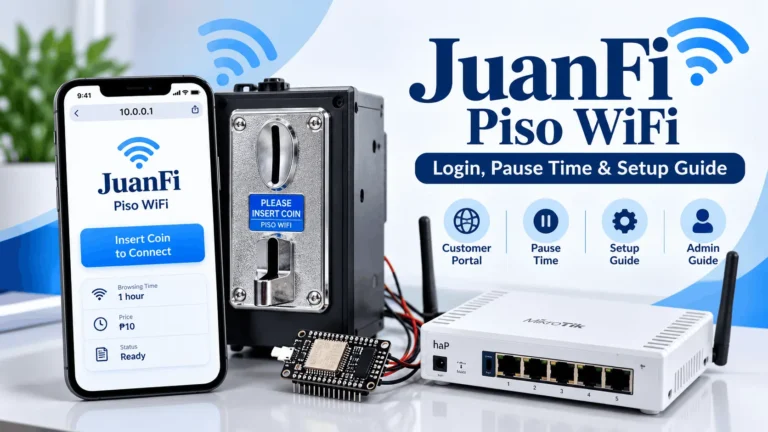
Ado Piso WiFi Login: Portal and Admin Addresses
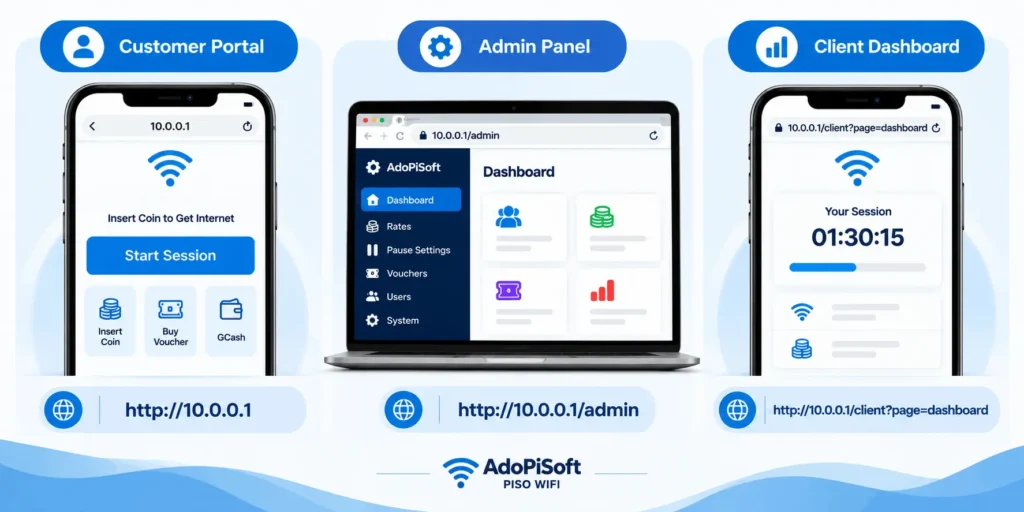
The official AdoPiSoft setup documentation uses two separate addresses. They serve different people and should never be confused.
|
Access Type |
Address |
Who Uses It |
|---|---|---|
|
Customer portal |
Customers logging in, inserting coins, pausing sessions |
|
|
Admin panel |
Operators only, for rates, pause settings, vouchers |
|
|
Client dashboard |
Customers checking session balance (available on some builds) |
The 10.0.0.1 address is the documented default but not universal. AdoPiSoft’s network guide supports alternative address configurations, so some machines use a different portal address set by the operator. If 10.0.0.1 does not load, check the sticker on the machine or ask the operator for the actual address.
How to Reach the Customer Portal
Connect to the hotspot WiFi network first. On Android phones the portal usually opens automatically. If it does not, turn off mobile data on your phone before trying to load the page. Mobile data interfering with the captive portal redirect is the most common reason the portal fails to open. Then open a browser and type http://10.0.0.1 manually.
On iPhones the portal appears as a pop-up or notification after connecting. On Windows laptops it rarely opens automatically and you need to type the address in a browser yourself.
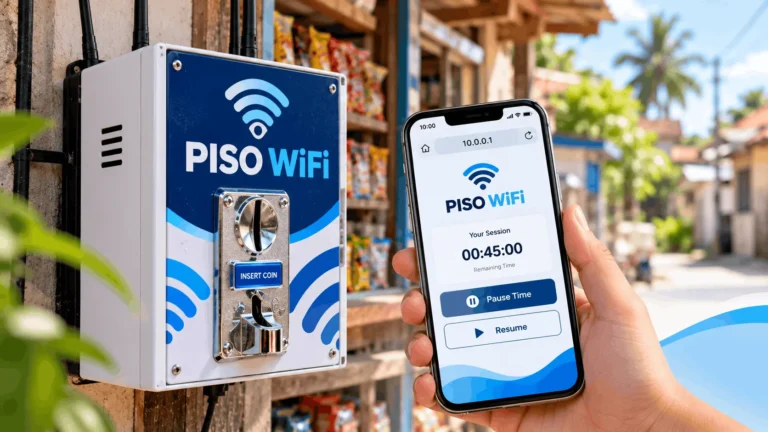
Once the portal loads, it shows your options: insert coins, redeem a voucher, or use GCash if the operator has enabled cashless payment.
Admin Panel Access
The admin panel at http://10.0.0.1/admin is for the machine operator only. Customers do not need to access it and should not attempt to.
Default credentials vary by build:
- Older builds: Username admin, Password admin
- Newer builds: Username administrator, Password admin1234
These are factory defaults. Every operator should change them immediately after installation. If neither works, check the sticker on the machine or contact whoever installed the firmware. Do not attempt random password guesses.
Why the Pause Button Is Missing on Ado Piso WiFi
A missing pause button on an AdoPiSoft machine is almost always an operator configuration, not a broken feature. Three separate controls in AdoPiSoft determine whether pausing works, how many times you can pause, and how long your session stays valid after pausing.
How Pause Time, Pause Limits, and Session Expiration Work on AdoPiSoft
This is the section that explains what no other guide covers correctly. Pause permission, pause count, and session expiration are three completely separate settings on AdoPiSoft. A machine can allow pausing but still let your credits expire while paused if the expiration window closes.
Ado Piso Wifi Pause Permission
Each session type can have pausing allowed or disallowed by the operator. If the pause button does not appear on your portal, the operator has not enabled it for your session type. This is an operator decision that customers cannot override from the customer portal.
Voucher Pause Permission
Voucher sessions have a separate pause permission called Allow Pause in the voucher setup. If this is not enabled for a voucher type, time runs continuously regardless of whether the device is active or connected. Disconnecting your phone from the WiFi does not preserve your voucher credits unless the operator specifically enabled this.
Pause Count
AdoPiSoft assigns a pause allowance per session type. The session settings documentation illustrates a 1 to 2 hour credit band with a limit of 10 pauses. This is a documentation example, not a universal rule. The operator sets the actual pause count for each package on their machine.
Session Expiration
Session expiration is a separate control from pause permission and pause count. The documentation example shows a 2-hour session expiring after 3 hours (purchased time plus 1 hour). This means:
A customer who buys 2 hours and pauses after 30 minutes still has a 3-hour window from when they bought the session, not from when they paused. If they return after 4 hours, their remaining credits may have already expired even if they have 1.5 hours of paid time left.
The operator can also disable expiration entirely for certain session types. Whether your credits expire while paused depends on how the operator configured that specific package.
Automatic Pause Behaviors
A session pauses automatically when the device disconnects from the WiFi network or becomes inactive. Time does not drain while disconnected, provided the session type and voucher policy support this.
All active sessions pause automatically when the upstream internet connection goes down. Customers do not lose credits during an ISP or Starlink outage.
Sessions resume automatically after the machine reboots, provided auto-continue is enabled in the session settings. Customers do not need to reinsert coins after a power interruption.
These behaviors are configuration-dependent. Not every machine has every setting enabled.
Ado Piso WiFi Troubleshooting
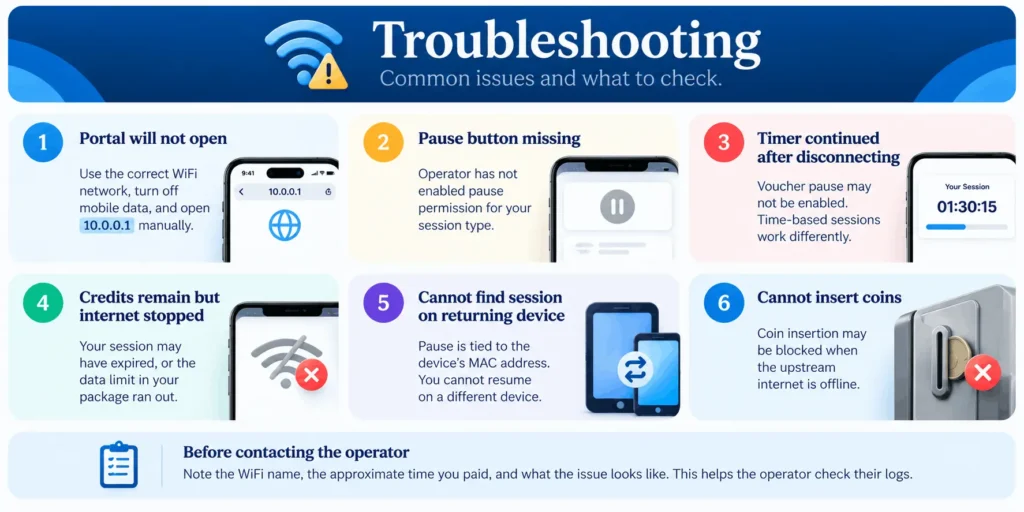
These are the most common issues customers and operators report, with the most likely cause for each.
| Symptom | What to Check |
| Portal will not open | Confirm you are on the correct hotspot network and mobile data is off. Try typing http://10.0.0.1 manually. |
| Pause button missing | Operator has not enabled pause permission for your session type. Customers cannot fix this. |
| Timer continued after disconnecting | Voucher pause permission may not be enabled. Time-based sessions behave differently from voucher sessions. |
| Credits remain but internet stopped | Session may have expired, or the data allowance in a time-with-data-capping package ran out. |
| Cannot find session on returning device | Pause is tied to the device’s MAC address. Resuming from a different device will not recover the session. |
| Cannot insert coins | Some machines are configured to block coin insertion when the upstream internet is offline. |
Before contacting the operator, record the hotspot name, the approximate time you paid, and what the error or symptom looks like. This helps the operator check their activity logs.
Do not attempt to clear cookies, change your device’s MAC address, or install unverified APKs to recover credits. AdoPiSoft documents MAC synchronization and device identity tracking. Actions that change your device identity may not restore credits and may create additional problems.
AdoPiSoft Editions: Classic vs Community Edition
Choosing the wrong edition creates compatibility problems that are hard to fix after installation. The table below shows where the two editions differ before you commit to either one.
|
Feature |
Classic AdoPiSoft |
Community Edition (Beta) |
|---|---|---|
|
Status |
Established, fully supported |
Beta, architecture redesigned |
|
Base cost |
Paid license |
Free basic functionality |
|
Additional features |
Included by plan tier |
Available through paid plugins |
|
Built on |
AdoPiSoft proprietary platform |
Flarewifi and OpenWRT |
|
Menu structure |
Stable, documented |
Different from classic |
|
Migration |
Optional |
Existing classic licenses remain valid |
Do not assume that Community Edition is faster, fully feature-equivalent to classic, or free at every deployment scale. The vendor describes it as an architectural redesign and recommends testing it separately from classic AdoPiSoft before migrating.
What Operators Can Configure in AdoPiSoft
Rate Types
AdoPiSoft supports three rate configurations:
Operators can also enable a free trial with configurable time or data limits, set separately for new users, users without active sessions, or all users.
Bandwidth Controls
AdoPiSoft offers two modes:
Remote Management
Operators can monitor sales, manage users, and control the machine over the internet through the web manager or the AdoPiSoft Manager Android app. This is a management tool for operators and is not related to the customer portal.
Additional Operator Features
Supported Hardware
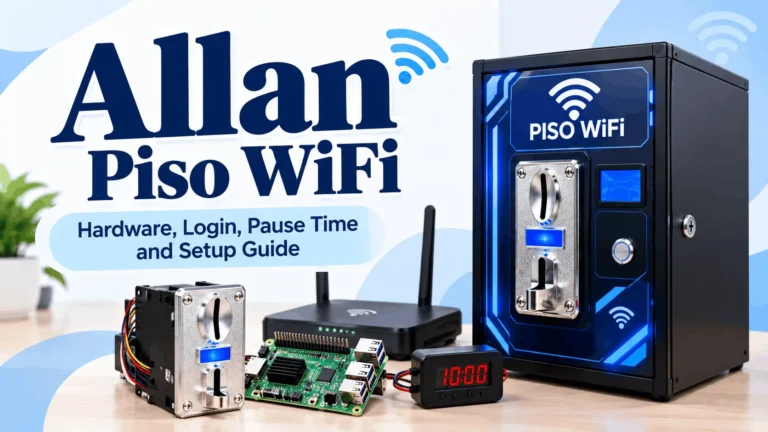
AdoPiSoft runs on four hardware options, each suited to a different scale of operation.
| Hardware | Notes |
| Raspberry Pi 3 and 4 | Recommended by AdoPiSoft as the most reliable option |
| Orange Pi One and PC | Supported but less powerful; AdoPiSoft states Raspberry Pi performs better |
| Newifi 3 D-2 | Least powerful and most affordable; functions as router and access point in one unit |
| x64 Server (Ubuntu) | For large deployments; handles thousands of WiFi, wired, or WISP customers |
AdoPiSoft explicitly recommends Raspberry Pi over Orange Pi for reliability. Operators choosing between boards for a new installation should factor this in.
AdoPiSoft Pricing and Licensing
| Edition | Price | Notes |
| Community Edition | Free (basic functionality) | Beta; paid plugins available separately |
| Annual Business | $10 per year | Recurring annual subscription |
| Lite | $16.99 | Up to 50 connected users, 1 admin account; perpetual on v5, annual on v6 |
| Business | $65.99 | Unlimited users and admins; perpetual on v5, annual on v6 |
| Subvendo activation | $7.07 | Activates one subvendo unit |
These are software license costs only, not complete machine startup budgets. A full setup budget includes the controller board, coin acceptor, enclosure, router, internet subscription, and business registration fees.
The distinction between perpetual and annual licensing depends on whether you are running v5 or v6. Confirm the exact edition, included license period, and renewal cost with the vendor or distributor before purchasing. Do not rely on older promotional listings for current pricing.
The Lite plan covers up to 50 connected users excluding inactive users. The Business plan has no software user-count cap, but this does not change the hardware or internet capacity of the installation.
FAQs – Ado Piso WiFi
What is Ado Piso WiFi?
Ado Piso WiFi is the former name of AdoPiSoft, a hotspot management software platform for coin-operated WiFi vending machines in the Philippines. It is developed by Flarego Technologies Corp. in Danao City, Cebu. The software manages the paid session layer; a separate modem or router provides the internet connection.
What is the Ado Piso WiFi login address?
The customer portal is at http://10.0.0.1 on most machines. The admin panel is at http://10.0.0.1/admin. Some builds also offer a client session dashboard at http://10.0.0.1/client?page=dashboard. The address can be configured by the operator, so if 10.0.0.1 does not load, check the machine sticker or ask the operator.
Why is the pause button missing on my Ado Piso WiFi session?
The operator has not enabled pause permission for your session type. Pause permission is a separate setting in the AdoPiSoft admin panel that must be turned on for each session or voucher type. Customers cannot enable it from the portal.
Can my Ado Piso WiFi credits expire while paused?
Yes. Session expiration is a separate control from pause permission. AdoPiSoft’s documentation shows a default expiration of purchased time plus one hour for time-based sessions. If you pause and return after the expiration window closes, your remaining credits will be gone even if you had time left.
What are the default AdoPiSoft admin credentials?
Older builds use admin as both the username and password. Newer builds use administrator as the username and admin1234 as the password. These are factory defaults and should be changed after installation. Check the machine sticker if neither works.
What hardware does AdoPiSoft run on?
AdoPiSoft supports Raspberry Pi 3 and 4 (recommended as most reliable), Orange Pi One and PC, Newifi 3 D-2 (most affordable), and x64 Ubuntu servers for large deployments. The vendor states Raspberry Pi performs better than Orange Pi on their platform.
Is AdoPiSoft free?
The Community Edition offers free basic hotspot functionality but is in beta and uses a plugin-based architecture where additional features may require paid plugins. Classic AdoPiSoft requires a paid license starting at $10 per year for the Annual Business plan or $16.99 for the Lite edition.
What is the difference between AdoPiSoft classic and Community Edition?
Classic AdoPiSoft is the established version running on most current machines. Community Edition is a redesigned beta built on Flarewifi and OpenWRT with free basic functionality and a paid plugin marketplace. They are architecturally different products. Existing classic licenses remain valid and migration is optional.
Does AdoPiSoft pause sessions during power outages?
Yes, when the upstream internet connection goes down, AdoPiSoft automatically pauses all active sessions so customers do not lose credits during an outage. Sessions also pause automatically when a device disconnects from the WiFi, provided the session type supports this behavior.
How many users can connect to AdoPiSoft?
The Lite plan supports up to 50 connected users excluding inactive users. The Business plan and Annual Business plan have no software user-count cap. Hardware capacity and internet plan speed are separate limits that the software cannot override.
AdoPiSoft’s most useful distinction from competing platforms is the documented separation between pause permission, pause count, and session expiration. Understanding these three controls explains the majority of customer complaints about missing pause buttons and expired credits. For operators choosing a platform, the auto-pause on disconnect, auto-pause during outages, remote management app, and eloading integration are features that LPB and JuanFi do not document equivalently.
This guide is provided for educational purposes only. We are an independent resource and have no official connection with AdoPiSoft. All product names and trademarks remain the property of their respective owners.
For a complete guide to the 10.0.0.1 portal and how piso wifi machines work in general, visit our piso wifi pause time guide. If you are comparing platforms before investing, read our LPB Piso WiFi breakdown next.