
PisoFi: Login, Pause Time, Admin Panel, and Setup Guide
PisoFi is a Philippine hotspot management software for coin and voucher based piso wifi vending machines. It runs the captive portal customers see at 10.0.0.1, turns coins and vouchers into time or data, controls speed and sessions, and gives operators a full admin and sales panel. It runs on low cost single board computers like Raspberry Pi and Orange Pi, which is why it shows up on machines from many different resellers, including builds using Allan Piso WiFi hardware.
What Is PisoFi?
PisoFi is software, not a machine. It sits between the internet connection, the coinslot, the WiFi access point, and the customer’s phone. When a customer drops a coin, PisoFi credits the session. When the time runs out, PisoFi cuts access.
This matters when you are troubleshooting. The vendo box might carry a reseller’s brand or an Allan coinslot, but the login page, pause rules, rates, and admin password all come from PisoFi.
PisoFi supports several machine types from one platform:
- Piso WiFi vendo
- Desktop or PisoNet setup
- Charging station vendo
- Eload vendo
- Sub vendo and multi coinslot setups
- Bill acceptor machines
PisoFi Login at 10.0.0.1
The PisoFi customer portal opens at http://10.0.0.1.
To log in:
The PisoFi customer portal opens at http://10.0.0.1.
To log in:
- Connect to the piso wifi network
- Turn off mobile data
- Open a browser and type http://10.0.0.1 in the address bar, not the search bar
- Insert coins or enter a voucher code to start your session
PisoFi Pause Time
Pause time lets you stop your session and save the remaining minutes for later. Open 10.0.0.1 during an active session and tap Pause. When you come back, open the portal on the same phone and tap Resume.
The portal shows your pause count and pause validity, so you can see how many pauses you have left and how long the saved time stays valid.
Pause Count and Validity
Operators decide how many times a session can be paused and how long paused time remains valid. These are not fixed PisoFi values. One machine may allow three pauses a day, another may allow none. If the Pause button is missing, the operator has turned it off.
Auto Pause on Disconnect
PisoFi has an optional auto pause that stops your time when your phone disconnects from the WiFi. If the operator enabled it, walking out of range does not burn your minutes.
Pause Time After a Brownout
PisoFi includes a boot up pause setting that holds customer time when the machine shuts down from a power interruption. When power returns, sessions resume instead of losing time. This only works if the operator has enabled it.
Why Resume Fails
PisoFi tracks your session by your phone’s MAC address. Most Android phones and iPhones use a randomized MAC address by default. If the phone shows the machine a new address when you reconnect, PisoFi sees a new device and cannot find your paused session.
To avoid this, set the WiFi network to use the device MAC address instead of a random one in your phone’s WiFi settings for that network. If time is already missing, tell the operator the time you paid and the amount. Operators can find the session in the admin panel and restore it.
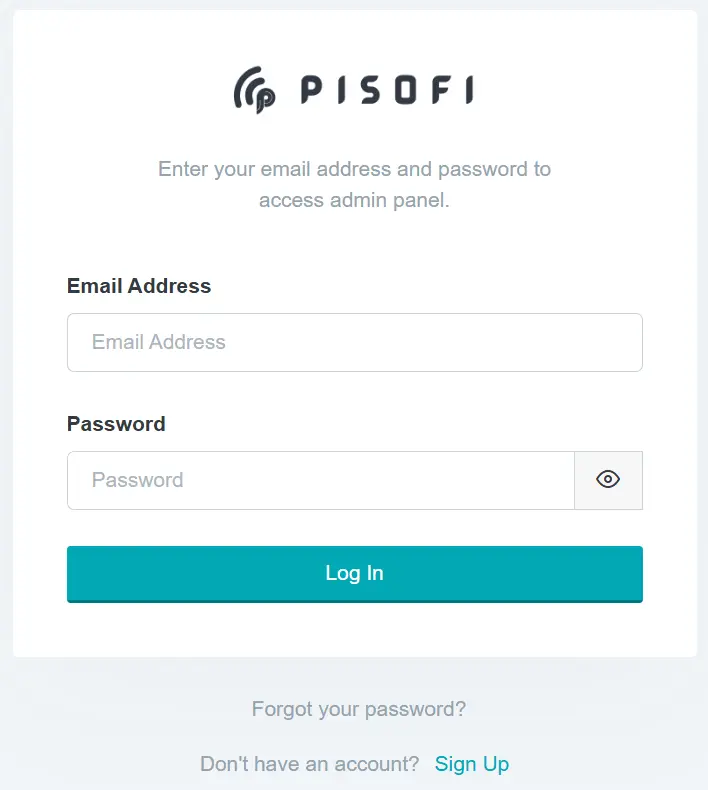
PisoFi Admin Panel and Default Password
The admin panel is for the machine owner only. It is not the WiFi password and customers cannot use it.
The commonly published default credentials are:
- Username: administrator
- Password: admin12345
Change these right after installation. These defaults are published in PisoFi’s own build guide, so a machine left on factory credentials is easy to take over, especially with remote access turned on. If the password was changed and you do not know it, check the sticker on the machine or contact your installer.
From the admin panel, operators can:
- Set coin rates, promo packages, and data plans
- View connected clients and extend, transfer, or end sessions
- Set per client upload and download speed limits
- Configure pause count, pause validity, and expiration
- Block or whitelist MAC addresses and websites
- View sales reports and insert coin logs
- Generate WiPass voucher tickets
- Add sub accounts and co admins with limited permissions
- Back up settings to Google Drive
- Schedule restarts and shutdowns
- Install system patch updates when notified
Remote Access to the PisoFi Admin Panel
PisoFi offers remote admin access through ngrok, a tunneling service that lets you open your local admin panel from anywhere. A redirect link is available through pisofiph for registered devices. This differs from LPB piso wifi, which uses its own built in cloud monitoring without a third party tunnel.
WiPass Voucher Tickets
WiPass is PisoFi’s voucher system. Operators generate codes, sell them, and customers enter the code at 10.0.0.1 to start a session without inserting coins.
Each WiPass batch can be configured with:
- Time, price, and upload and download speed
- A custom prefix of up to 5 characters
- Password protection
- Pausable or non pausable sessions
- Convertible or non convertible tickets
- Relative expiration, where the countdown starts when the customer first uses the ticket, not when it was printed
Tickets can be generated quickly, downloaded in batches, printed, and exported. A WiPass history keeps a record of every ticket issued.
Relative expiration is worth turning on if you sell vouchers through a sari sari store or a reseller. A ticket that sits on the counter for a week still gives the buyer full time once activated.
PisoFi Features for Operators
Sessions and Rates
PisoFi gives you control over how customers pay and how long they stay connected.
- Time based and data based sessions
- Custom rates per coin denomination
- Promo packages and promo rates
- Separate session types for cash, WiPass, admin created, live transfer, and wallet sessions, with optional auto merge
- Live transfer of time between devices
- Client rewards
Speed and Network Control
These settings decide how bandwidth is shared and who can access what.
- Per client speed limits and global bandwidth allocation
- Anti tethering through TTL override, which stops a customer from sharing their paid connection to other phones
- Port prioritization for online gaming
- Ad blocking
- MAC and IP binding
- VLAN, bridge, and network interface manager
- Interchangeable WAN port
- PPPoE support
Sales and Monitoring
PisoFi tracks every coin and session so you always know where your revenue stands.
- Daily and monthly sales reports
- Insert coin logs and system activity logs
- Export to CSV and XLSX
- Traffic monitor
- Ookla speed test
Extra Income Features
Beyond WiFi access, it lets you sell additional services from the same machine.
- Eload top ups through Coins.ph
- Game credits (epins)
- Charging station and PisoNet control
- Client chat messaging
Portal Customization
Operators can change the portal name, banners, buttons, and theme, or use the custom CSS editor for full control over how the customer page looks.
Hardware Requirements
PisoFi does not lock you into one hardware brand. The official DIY guide lists:
- Raspberry Pi (B models) or Orange Pi One or PC
- 16 GB microSD card
- Coin acceptor
- 12V and 5V power supply
- Wiring and Ethernet cables
- USB to Ethernet adapter when using Orange Pi
- WiFi router set up as an access point
Orange Pi 5 has its own dedicated PisoFi image. NodeMCU ESP8266 boards are used for sub vendo coinslots. Bill acceptors are also supported.
PisoFi on Allan Piso WiFi Machines
Allan Piso WiFi is a hardware brand that makes coinslots, boards, timers, and enclosures. Many Allan based builds ship with PisoFi installed. On those machines, the Allan parts handle coin acceptance, and PisoFi handles the portal, login, pause time, and admin panel. If you own an Allan machine running PisoFi, this guide applies to you.
PisoFi’s own guide states that hardware wiring problems, loose connections, and invalid or ghost credits fall outside PisoFi’s responsibility. Your installer handles those, so buy from a reseller that offers real after sales support.
How to Set Up PisoFi
Setting up PisoFi on your own hardware takes a few steps, from flashing the image to configuring your rates. Here is the full process.
- Download the PisoFi image from pisofiph
- Flash the image onto a 16 GB microSD card
- Insert the card into your Raspberry Pi or Orange Pi and connect the coinslot, power, and access point
- Register the device online at dash.pisofiph.com
- Open the local admin panel and log in
- Assign a paid license or start the 14 day trial
- Change the default admin password
- Set your rates, pause rules, and portal design
After a software update, check your pin configuration. PisoFi notes that pin settings may change after updates, which can stop the coinslot from crediting properly.
PisoFi Lite vs Full
PisoFi has two editions.
Lite is a lighter build with VLAN support and up to 10 sub vendos.
Full includes the complete feature set covered on this page. Confirm with your distributor which features are in each tier before you buy, since PisoFi does not publish a full feature split publicly.
PisoFi Price in the Philippines
PisoFi does not list current license prices on its main site. Licenses are sold through authorized distributors listed at pisofiph.com/distributors.
An older indexed PisoFi FAQ from 2019 lists ₱1,000 for a main license and ₱300 for a sub vendo or desktop license. Treat these as a reference point only and get the current price from a distributor.
Complete ready made machines have been listed by resellers at around ₱11,990, including an Orange Pi One, 16 GB card, coin acceptor, enclosure, power supply, cables, and a PisoFi license, with a stated capacity of 40 clients depending on internet speed. That is one reseller’s package, not an official PisoFi price.
Your total cost will be higher once you add a commercial internet plan, access point, surge protector or UPS, mounting, and permits.
Is a PisoFi License Transferable?
This needs written confirmation. PisoFi’s terms describe a license as owned indefinitely unless the terms are violated, but also state that ownership cannot be transferred. Some resellers advertise their PisoFi licenses as transferable. Before paying, ask your seller in writing what happens if the board dies, the SD card fails, or you sell the machine.
Updates and Latest Version
PisoFi publishes its version history on pisofiph. Recent releases include:
- 5.2.0 (November 2024): auto sync of client credit and time across access points, show password option on admin login
- 5.0.0 Beta (December 2023): auto select sub vendo, new network interface manager, PPPoE on any access point interface
- 4.8.8 (March 2023): insert coin logs, IP and MAC binding, TTL override against tethering, Orange Pi 5 support
- 3.8.1 Lite (January 2022): device ownership checks, session synchronizer toggle
Before buying a machine, ask the seller which PisoFi version is installed. An outdated image may lack anti tethering, coin logs, or multi access point sync.
Before You Start a PisoFi Business
Setting up the software is only part of running a piso wifi business. A few practical steps before launch can save you from legal trouble, data loss, and hardware failure later.
- Use a commercial internet plan. Residential plans from Globe, PLDT, and Starlink generally prohibit resale. Get written permission or a plan that allows hotspot use.
- Register properly. You need a business permit, BIR registration, and should confirm NTC requirements for your setup with your regional NTC office.
- Protect customer data. If your portal collects names, numbers, or chat messages, the Data Privacy Act applies. Collect only what you need.
- Protect the hardware. Use a branded power supply and SD card, a surge protector or UPS, and a ventilated lockable enclosure. Keep a spare SD card with your configured image.
- Test before scaling. Use the 14 day trial to check coin accuracy for every denomination, portal loading on Android and iPhone, pause and resume, power recovery, and speed at full load.
Frequently Asked Questions
What is PisoFi?
PisoFi is a Philippine management software for coin operated WiFi machines. It runs the customer portal, sessions, rates, vouchers, and sales reports on Raspberry Pi or Orange Pi hardware.
What is the PisoFi login address?
The customer portal is at http://10.0.0.1. Turn off mobile data before opening it.
What is the PisoFi admin username and password?
The published defaults are administrator and admin12345. Most operators change these, so check the machine sticker or ask the installer.
How do I pause time on PisoFi?
Open 10.0.0.1 during your session and tap Pause. Return on the same phone and tap Resume. Pause only appears if the operator enabled it.
Why can’t I resume my paused time?
Your phone likely uses a randomized MAC address, so the machine sees it as a new device. Switch that network to your device MAC and contact the operator to restore the time.
What is WiPass in PisoFi?
WiPass is PisoFi’s voucher system. Customers enter a code at the portal instead of inserting coins.
How much is a PisoFi license?
Current prices come from distributors at pisofiph.com/distributors. A 2019 FAQ listed ₱1,000 for a main license and ₱300 for a sub vendo license.
Does PisoFi have a free trial?
Yes. New devices can be activated with a 14 day trial before buying a license.
Does PisoFi support GCash?
GCash and Maya support is not confirmed on PisoFi’s official pages. It documents eload through Coins.ph. Ask your distributor about current wallet support.
Does PisoFi work on Orange Pi?
Yes. PisoFi supports Orange Pi One, Orange Pi PC, and has a dedicated image for Orange Pi 5. Orange Pi setups need a USB to Ethernet adapter.
What is the latest PisoFi version?
The latest version on PisoFi’s release page is 5.2.0, released in November 2024.
Is PisoFi the same as Allan Piso WiFi?
No. Allan makes hardware. PisoFi is software. Many Allan machines run PisoFi.
Conclusion
PisoFi gives operators deep control over rates, speed, vouchers, and mixed services like charging and eload, all on affordable Raspberry Pi or Orange Pi hardware. For customers, the portal is at 10.0.0.1 and pause time works as long as the operator enabled it and your phone keeps the same MAC address.
If your machine uses Allan hardware, our Allan Piso WiFi guide explains the coinslots and boards. Still choosing software? Our Ado Piso WiFi covers AdoPiSoft licensing and pause rules in detail. Still not sure which platform fits your setup? Our piso wifi breaks down PisoFi, AdoPiSoft, and LPB side by side so you can pick with confidence.